SubmitPRT for IP Phone via Phone web GUI and control hub
3:11
This video demonstrates How to Submit PRT for IP Phone via Phone web GUI and control hub in webex calling.
Related Videos
For "webex calling"
-
Play video Webex Contact Center How to Initiate a Conference Call
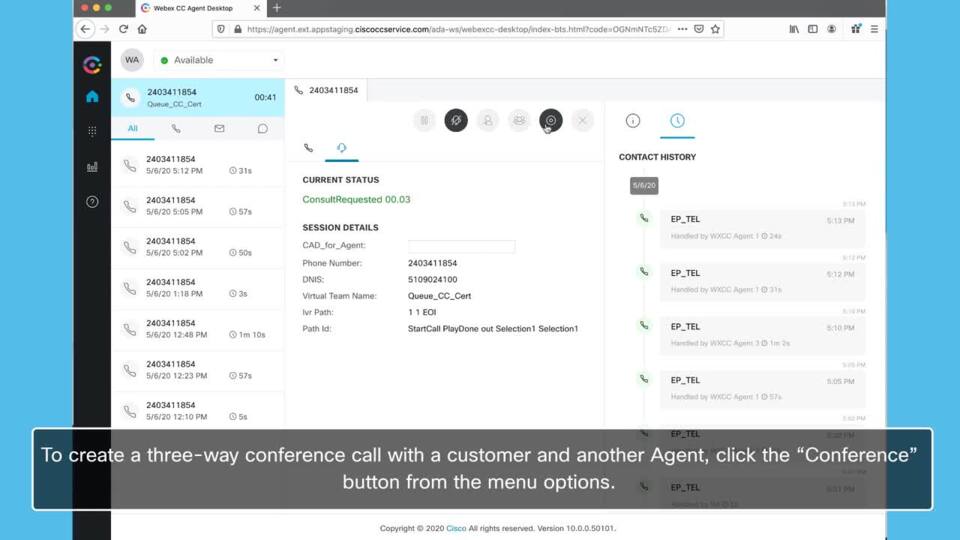
Webex Contact Center How to Initiate a Conference Call
Through the Webex Contact Center, an Agent is able to initiate a conference call between the customer and other Agents. This can be beneficial when a customer requests additional help or requests to speak with a manager.
0:57
-
Play video Configuring Virtual Lines in Webex Calling.
Configuring Virtual Lines in Webex Calling.
This video demonstrate how to configuring Virtual Lines in Webex Calling, for more information : https://help.webex.com/en-us/article/nthc9kbb/Multi-line-support-in-Webex-Calling-using-virtual-lines
1:42
-
Play video Analysing Webex UCM Calling logs using Collaboration Solution Analyzer
Analysing Webex UCM Calling logs using Collaboration Solution Analyzer
The video shows how to analyse Webex UCM Calling logs using Collaboration Solution Analyzer tool (CSA) Tags: webex, ucm calling
3:43
-
Play video Webex Contact Center Understanding Routing Strategies
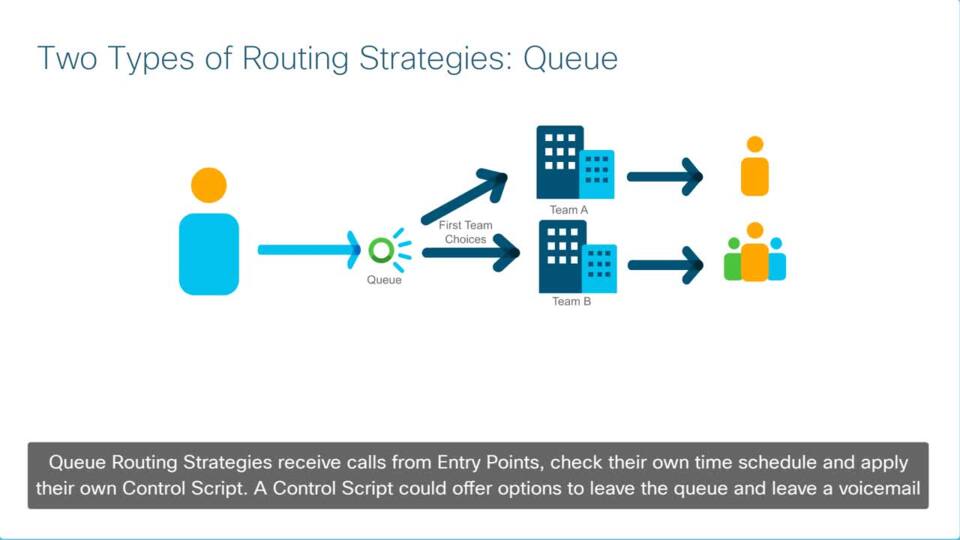
Webex Contact Center Understanding Routing Strategies
Routing Strategies are a crucial part to setting up Contact Center call flows. Routing Strategies are settings provisioned in the Tenant portal to control aspects of a call such as music on hold, time settings, and assigning a call control script.
3:16
-
Play video MPP-Phone Registration in Webex Calling
MPP-Phone Registration in Webex Calling
This video demonstrates how to register an MPP-Phone in Webex Control Hub. Tags: portal,cxtacvideos,webex,devices
2:47
-
Play video Cisco Tech Talk: Generate a PRT From a Webex Calling Registered Phone
Cisco Tech Talk: Generate a PRT From a Webex Calling Registered Phone
In this edition of Cisco Tech Talk, I’ll demonstrate how to pull a Problem Report Tool (PRT) file directly from a phone that is registered to Webex Calling (WxC).
3:30